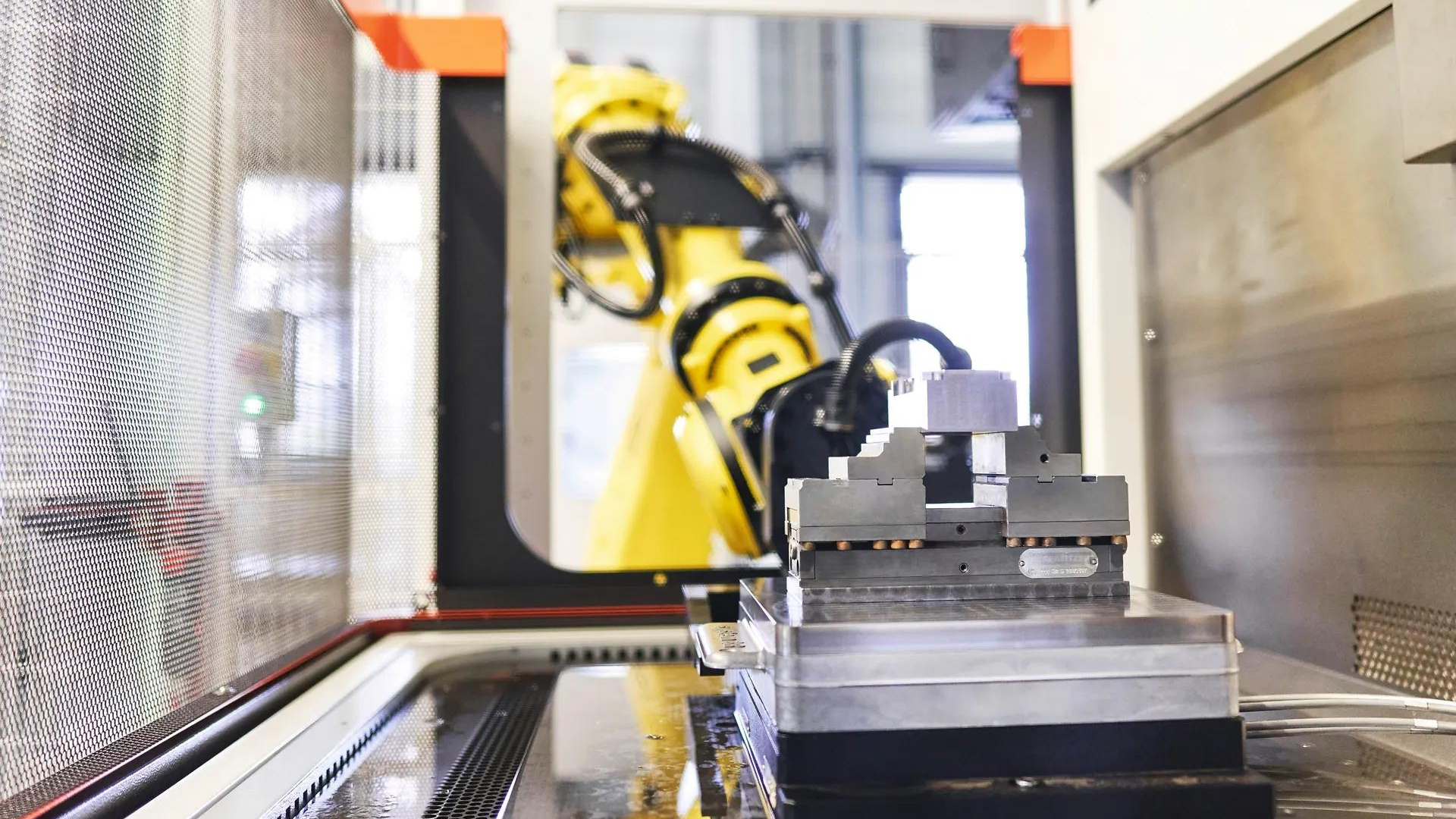
Picture a robot cell feeding a VMC from a rack of twelve pallets. One afternoon an operator swaps the fixture on pallet 7 for a new job, loads a part and puts the pallet back in the rack, but nobody updates the job record.
That night the robot loads the pallet without trouble and the zero-point clamps lock, so the machine starts the program still assigned to pallet 7: last week's program, with last week's work offset. The first cut goes into the wrong place on a brand-new part.
Pallet automation can only run unattended if every pallet that reaches the spindle brings the right program, work offset and tools with it, and if the cell can spot when one of them doesn't match. Zero-point systems already seat pallets accurately; keeping the data matched is what needs planning.
A pallet number has to point to a job
The usual way to tie data to a pallet is to give each one an identity, such as an RFID chip, a QR code or a barcode, and keep a record of which job it carries. EROWA's job management, for example, identifies pallets this way and links them to prepared jobs.
Some systems store data on the carrier itself; others keep only an ID there and hold everything else centrally, and Balluff describes both for tool and workpiece identification. In the setup we describe here, the chip holds only an ID, and the program, offsets and tool list sit in the job record it points to, the way EROWA's and System 3R's job management links prepared jobs to pallets.
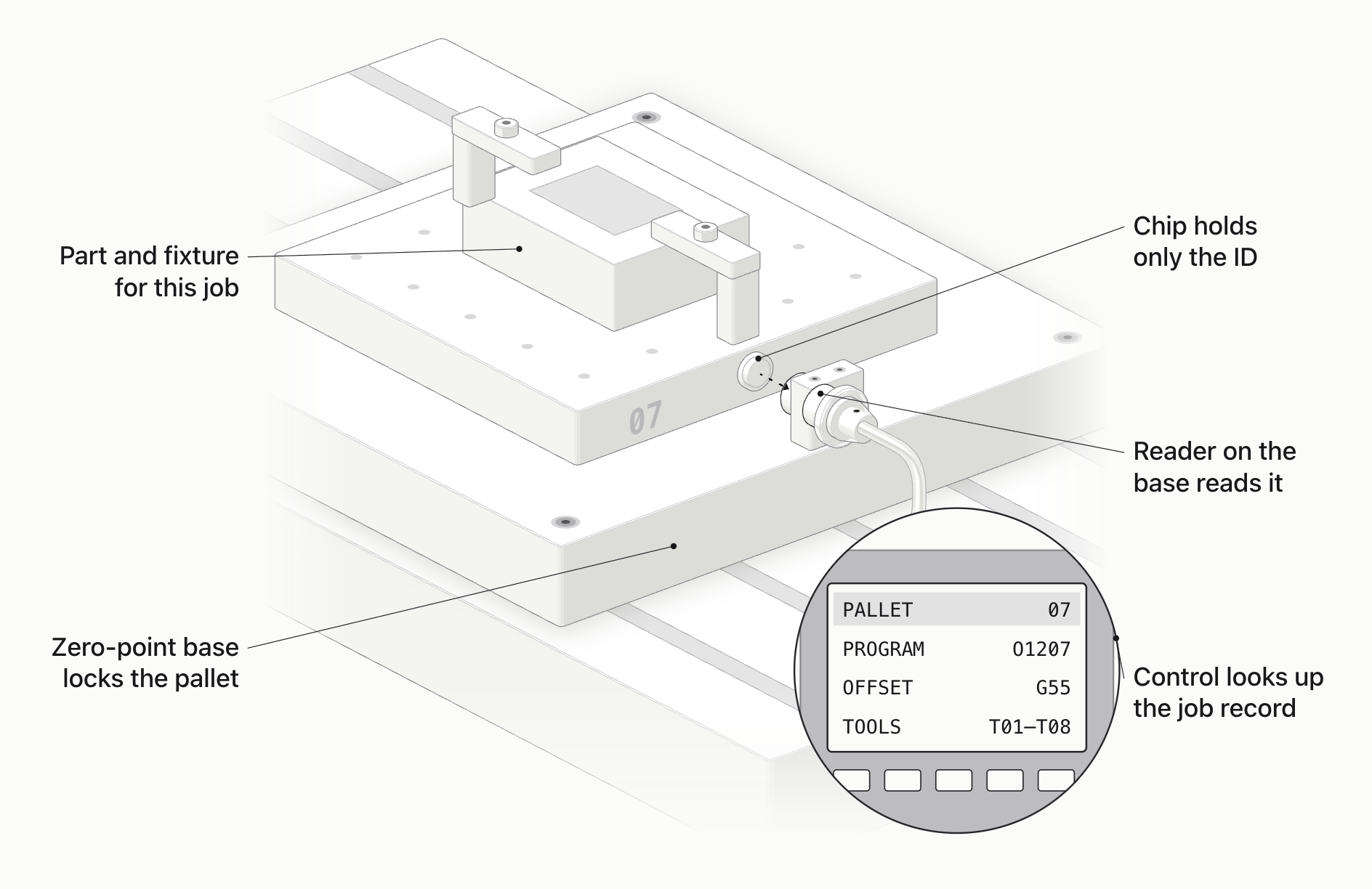
That record has to change whenever the pallet changes. In the example above, swapping the fixture without updating the record is exactly how the old job got run.
Seated, identified and measured are three different checks
| Check | What it tells you | What it doesn't tell you |
|---|---|---|
| Seating check (e.g. air gap) | The pallet is sitting flat on its locating faces | Whether it's clamped, or which pallet it is |
| Clamp signal | The clamps are in the locked position | Whether the pallet is seated flat |
| ID read | Which pallet is there | Whether the right part is on it |
| Measurement | Where the part actually sits | Whether it's the right part for the active job |
A seating check tells you the pallet is sitting flat; a clamp signal tells you it's locked. You need both before you can say it's seated and clamped. An ID read tells you which pallet it is.
None of them tells you where the part sits on it: that comes from measurement, either presetting outside the machine or probing inside it. And whether it's the right part comes from how it was identified and checked when it was loaded onto the pallet.
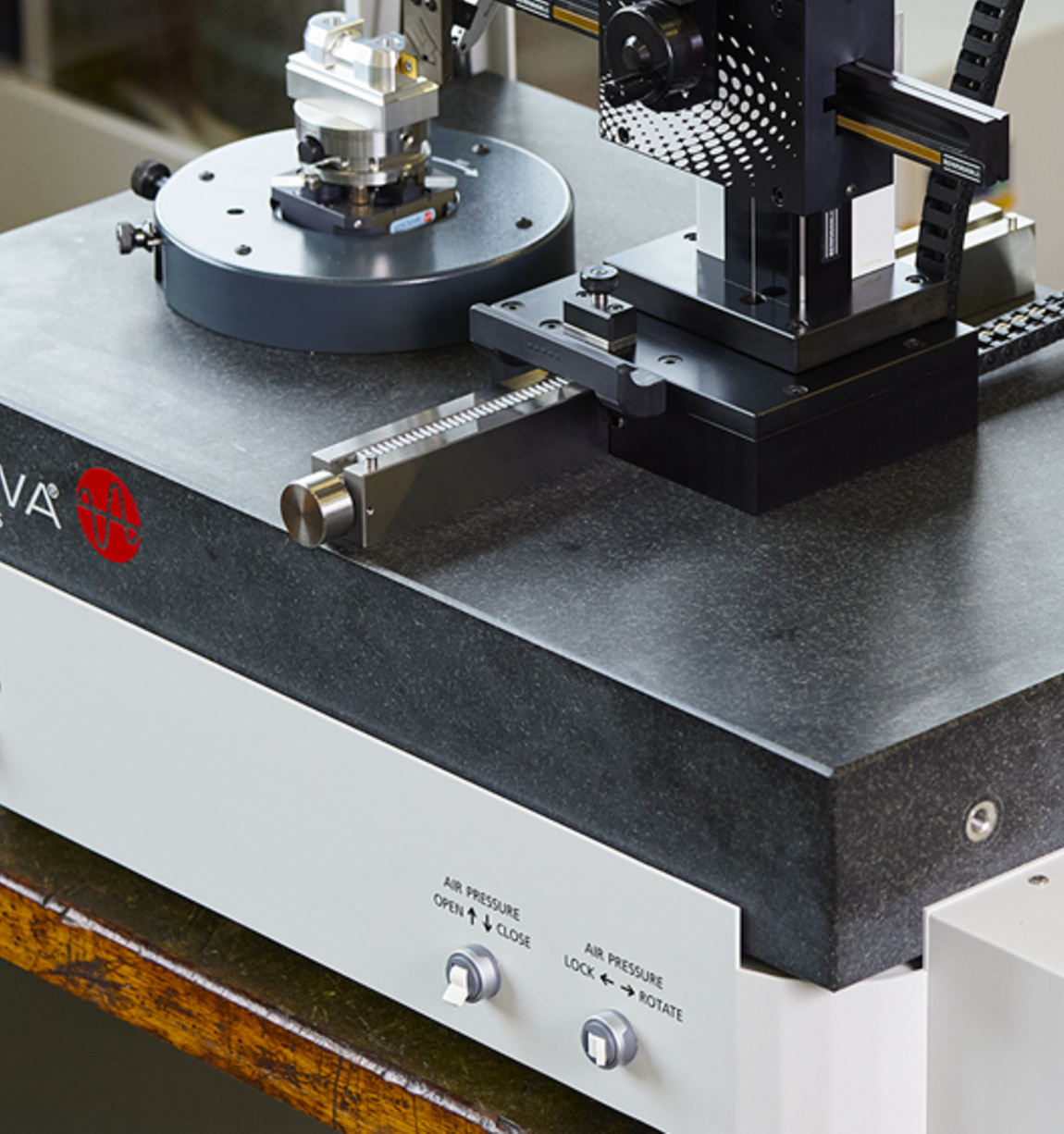
Presetting outside the machine gets the offsets ready before the pallet arrives. The result then has to travel with the pallet's record, so the machine uses the measured offset for that pallet and not the one from the last job.
A seated pallet can still use the wrong origin
Take a pallet that's fully seated, with the right program running, but with an active work offset that belongs to a different setup. The program is fine and the clamping is fine, yet every cut lands in the wrong place, because the tool path moves with whichever origin is active.
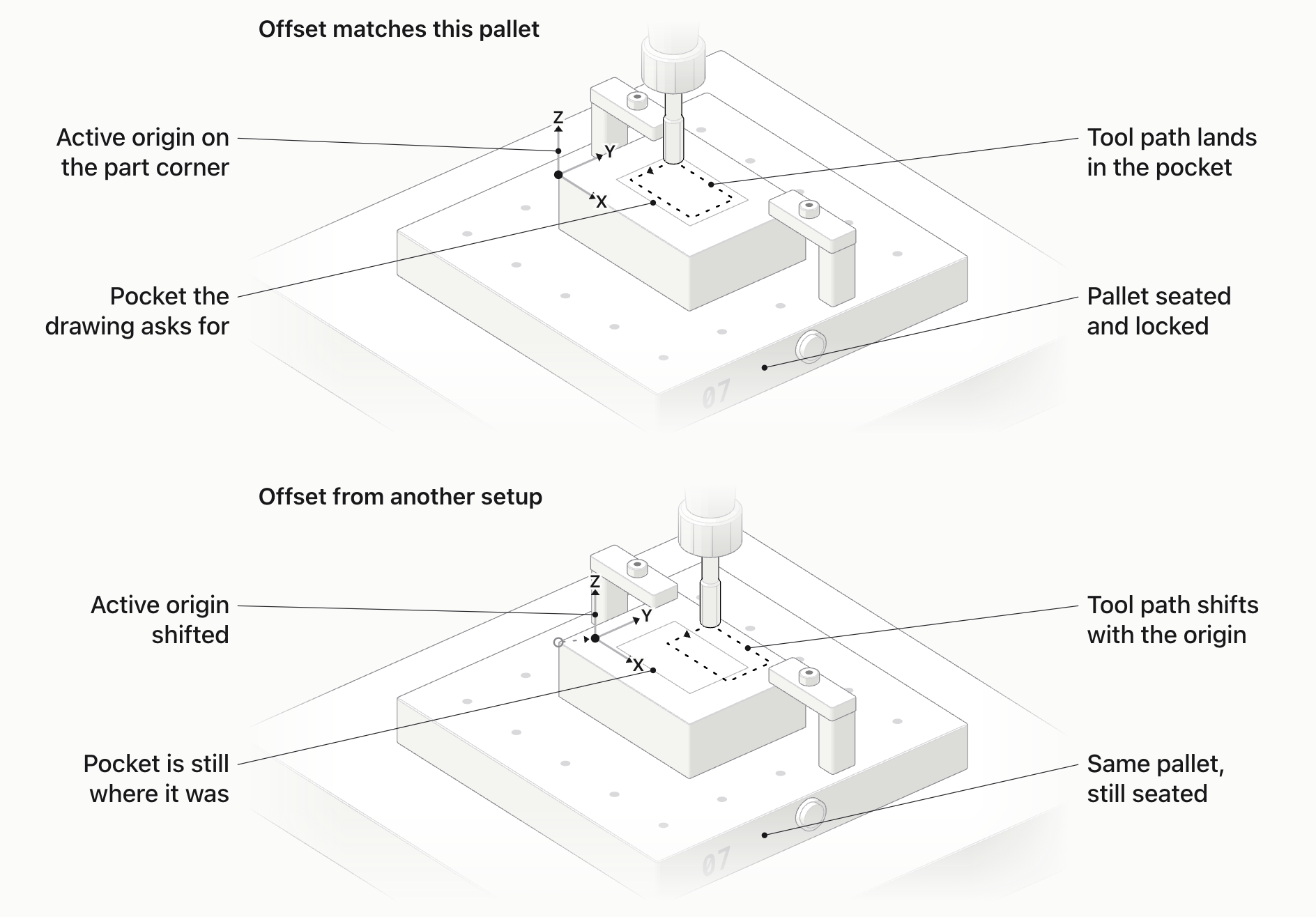
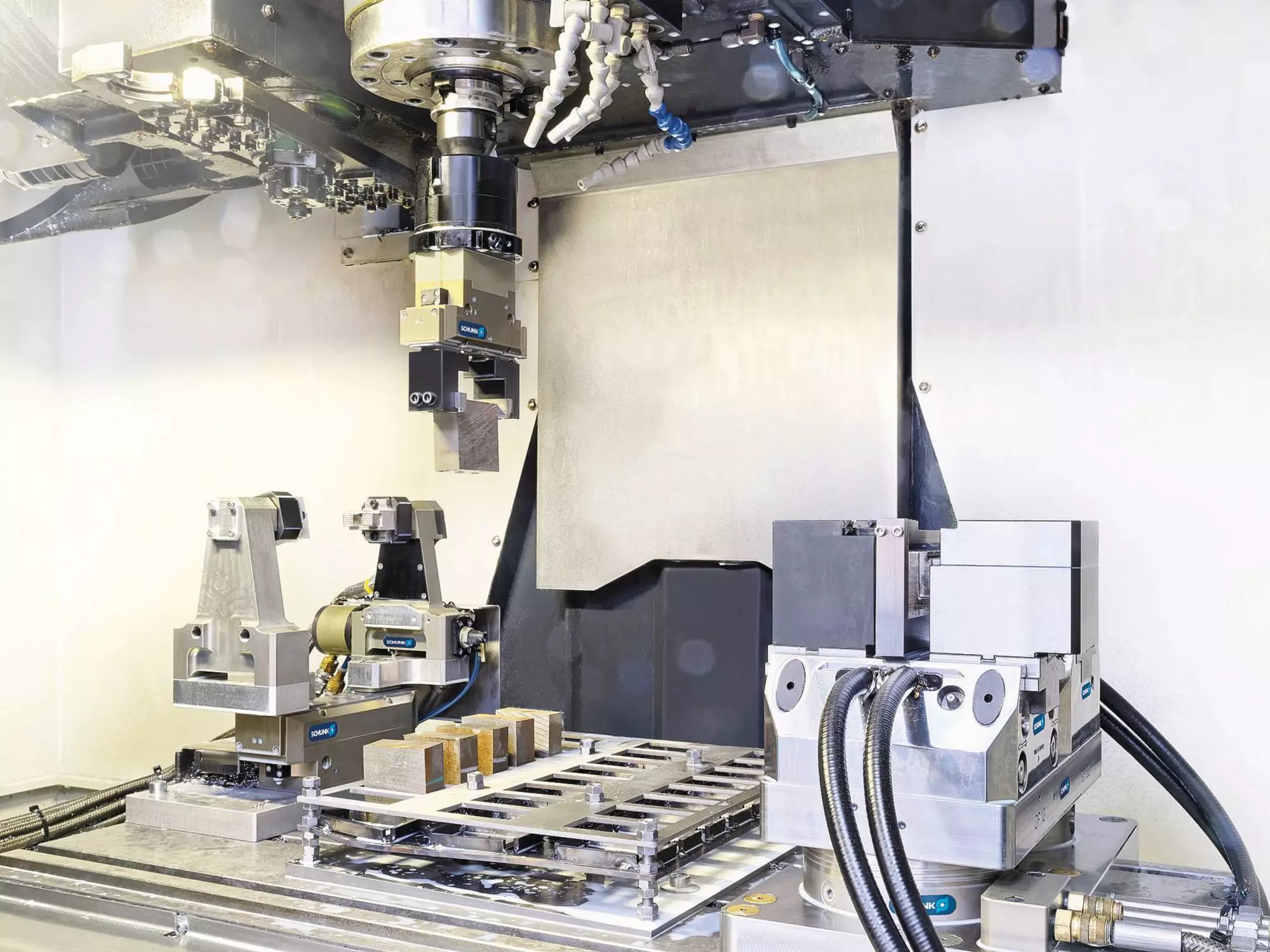
Seating itself is usually confirmed at the locating faces, for example with an air-gap check that shows whether the pallet is sitting flat, plus clamp sensors on the zero-point modules. Our part-seating article covers those checks in detail. They tell you the pallet is down and locked, but not whether the active offset belongs to it.
What the machine needs for pallet automation
Before you lay out the cell, agree these points with the machine builder and the integrator:
- How the cell tells the control which program and offset to use, and how the control confirms it.
- Door, clamping and pallet-present signals, and who is responsible for each one.
- Air or hydraulic supply for the clamping, with feedback for clamped and unclamped states.
- Tool data: whether the tools the job needs are loaded, measured and still within their life.
- What happens after a power cut or a manual intervention. The cell should check what's physically there before it carries on.
Test the mistakes before you trust the cell
Before the first unattended shift, try the errors on purpose, with the spindle stopped: load a pallet with no job assigned, or one tagged with an old program revision. The cell should refuse to start and tell you why. Do this with the integrator present, so you're testing the real logic rather than a description of it.
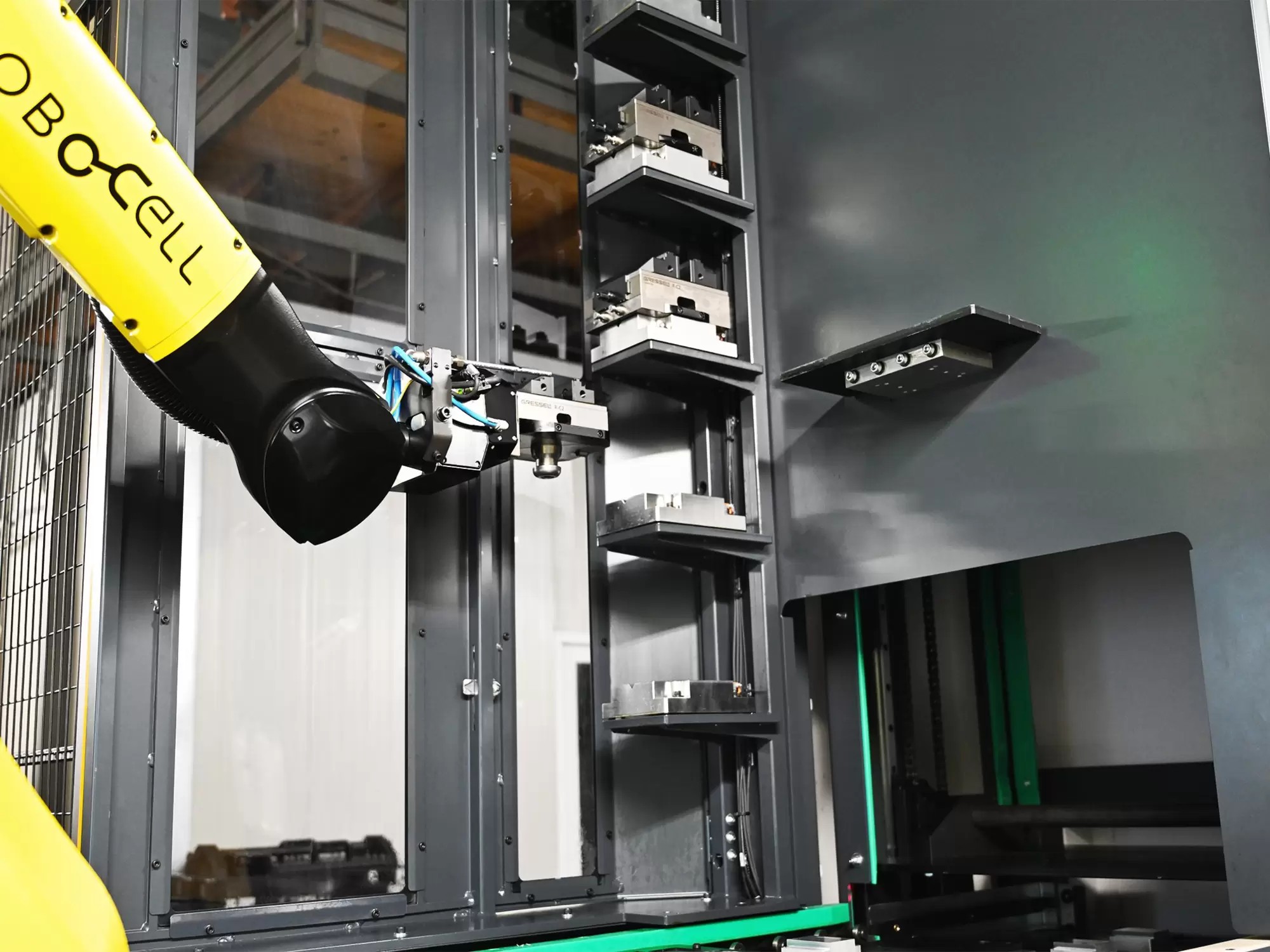
Then ask the integrator to run their recovery tests under the cell's own safety procedure: a pallet removed by hand, an exchange interrupted by a power loss, and a restart. If it carries on from its old queue without checking which positions are actually full, the mix-up from the opening example can happen again.
For a small cell that someone keeps an eye on, a careful manual log can be enough. Automatic identification earns its cost when the part mix grows and the cell runs through the night.
Setting up a Chansin VMC for a pallet cell
We've built many machining centers for automated loading, including robot-arm cells, and most of that work happens at the interface. For a pallet cell, we start from your part and pallet size, choose the VMC in our VMC range that fits, and then build in what the cell needs:
- An automatic door that the cell opens and closes.
- Interface signals for the robot or cell controller, so the machine and the cell can tell each other when to load, clamp and start.
- A zero-point or pneumatic fixture interface on the table, with clamp feedback.
- Mitsubishi, Syntec, FANUC or Siemens control, chosen to match what your integrator already works with.
- A tool setter and spindle probe, so tool lengths and part positions can be measured on the machine.
We also take on non-standard builds, so details such as the signal list and fixture connections can be specified to suit your cell. And before it leaves our factory, every machine runs continuously for 72 hours, has its axis positioning calibrated with a Renishaw laser interferometer, and makes a test cut; that matters when a machine will spend long stretches running unattended.
Send us the control your integrator prefers, your pallet system and a sketch of the cell through our product inquiry page, and we'll go through the interface list with you.
FAQ
What does pallet automation add to a VMC?
It lets the machine keep cutting while the next job is set up on another pallet outside it; a robot or pallet changer then swaps them in. To work, the machine needs a way to take pallets in, usually an automatic door and a clamping interface, plus signals the cell can read and a reliable way to select the right program and apply the verified offset.
How is pallet ID different from presence detection?
Presence detection only checks that a position is occupied. ID tells you which pallet is there, so the cell can look up its job. Neither one measures the part.
What has to be prepared besides loading the pallet?
The NC program, the work offset from presetting and the tools the job needs, all linked to that pallet. Loading the pallet is the last step, not the first.
Sources and Method
- EROWA — JMS 4.0: pallet identification and job preparation.
- System 3R — Palletized handling, FAQ 1, 6 and 8: what palletized handling does, carrier ID and presence, and job preparation.
- System 3R — WorkShopManager 5: preparation and machining-data assignment.
- Balluff — Tool Identification and Workpiece Tracking, Doc. 930962 EN H19: identity, database records and data on the carrier.
The pallet-7 example is illustrative. Model information is Chansin CNC product data.
Feature photo: System 3R.