Two co-owners of a machine shop kept arguing about pricing. One wanted to work up from their real costs. The other said the shops nearby charge about $75 an hour, theirs is a similar shop, so charge $75. Then came the honest question: how does anyone actually arrive at $75?
Both of them were half right, because “hourly rate” hides two different numbers. One is what the machine itself costs you for every hour it cuts. The other is what your shop has to charge per hour to cover everything and make money. You work out the first from the machine. The second adds your overhead and margin on top. Mixing them up is how shops quote jobs that quietly lose money.
Start with what the machine costs you per hour
The method is simple: add up everything the machine will cost you over its useful life, then divide by the hours it will actually work. CNC Cookbook’s machine hourly rate calculator is built the same way, and it’s a good checklist of what to include:
- Purchase price, including the basic tooling the machine needs to run
- Finance interest, if you borrow to buy it
- Useful life, and what the machine is worth when you sell or trade it in
- Yearly consumables and repairs: tooling, lubricants, spare parts
- Working hours per day, days per year, and a realistic allowance for downtime
Put together, the machine’s own cost per hour is: (purchase price + interest − resale value + yearly consumables and repairs × years) ÷ (productive hours per year × years). Add the operator’s hourly cost on top and you have the machine’s hourly rate with labor.
A worked example
Here’s the formula run on two hypothetical machines. These numbers are illustrative only, not CHANSIN prices or an industry average. Swap in your own.
| Machine A | Machine B | |
|---|---|---|
| Purchase price with basic tooling | $90,000 | $150,000 |
| Resale value after 7 years | $20,000 | $35,000 |
| Consumables and repairs | $6,000 a year | $6,000 a year |
| Cost over 7 years | $112,000 | $157,000 |
| One shift: 1,600 productive hours a year | $10.00 per hour | $14.02 per hour |
| Two shifts: 3,200 productive hours a year | $5.00 per hour | $7.01 per hour |
The 1,600 hours assume one 8-hour shift on 250 days, with 20% of that time lost to setups, maintenance and waiting. Add an operator at, say, $30 an hour, and Machine A on one shift comes to $40 an hour with labor.
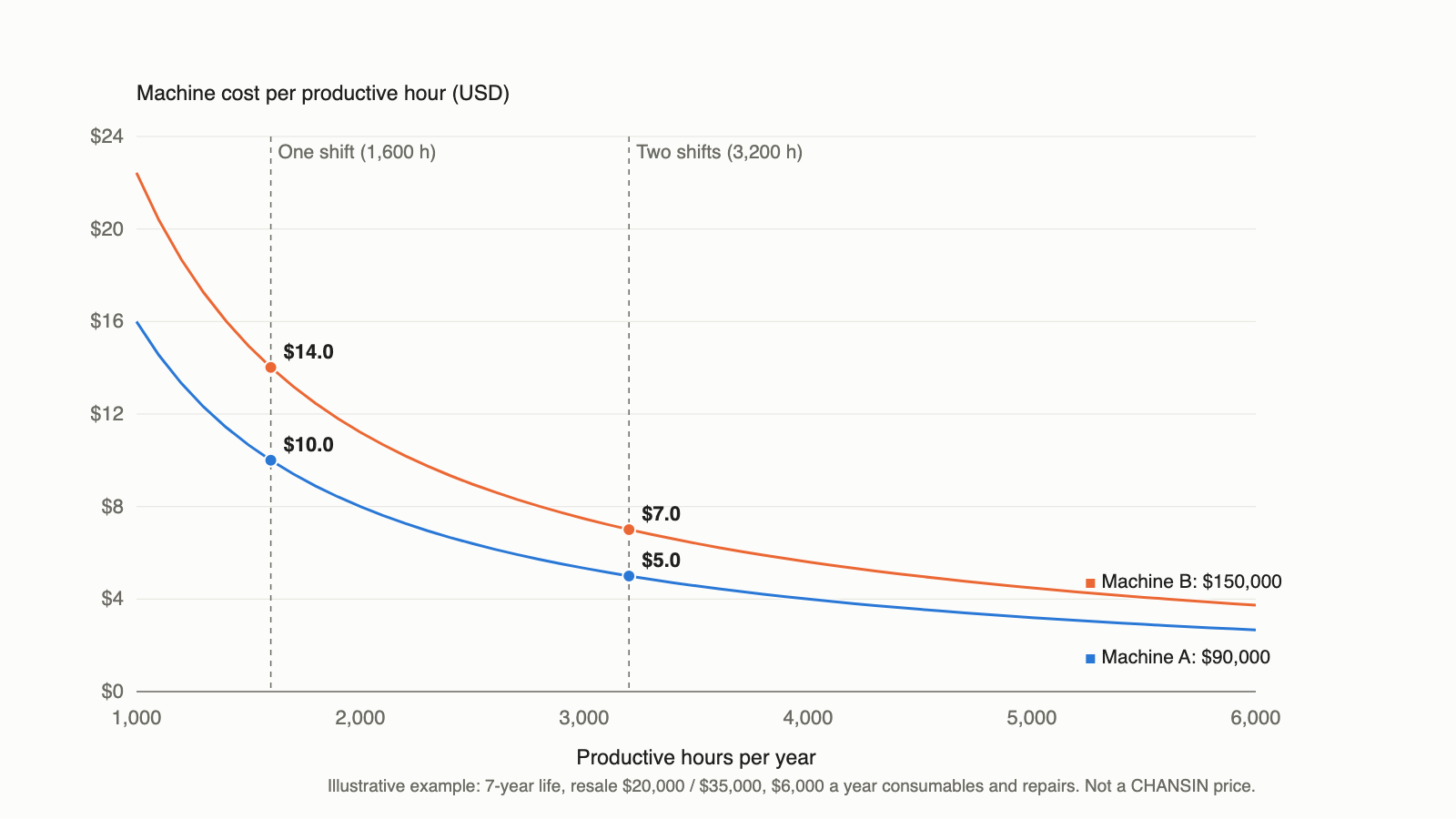
Look at what moves the number. Going from one shift to two halves Machine A’s cost per hour. The pricier Machine B on two shifts ($7.01) costs less per hour than the cheaper Machine A on one shift ($10.00). How many hours a machine actually cuts matters more than what it cost.
Notice the operator too. At $30 an hour, labor is three times the machine’s own cost on one shift. That’s why anything that lets one person run the machine longer, or run two machines, pays off faster than shaving the purchase price.
The costs that never show up on the invoice
The formula only counts hours the machine is productive. The real leaks are the hours it isn’t.
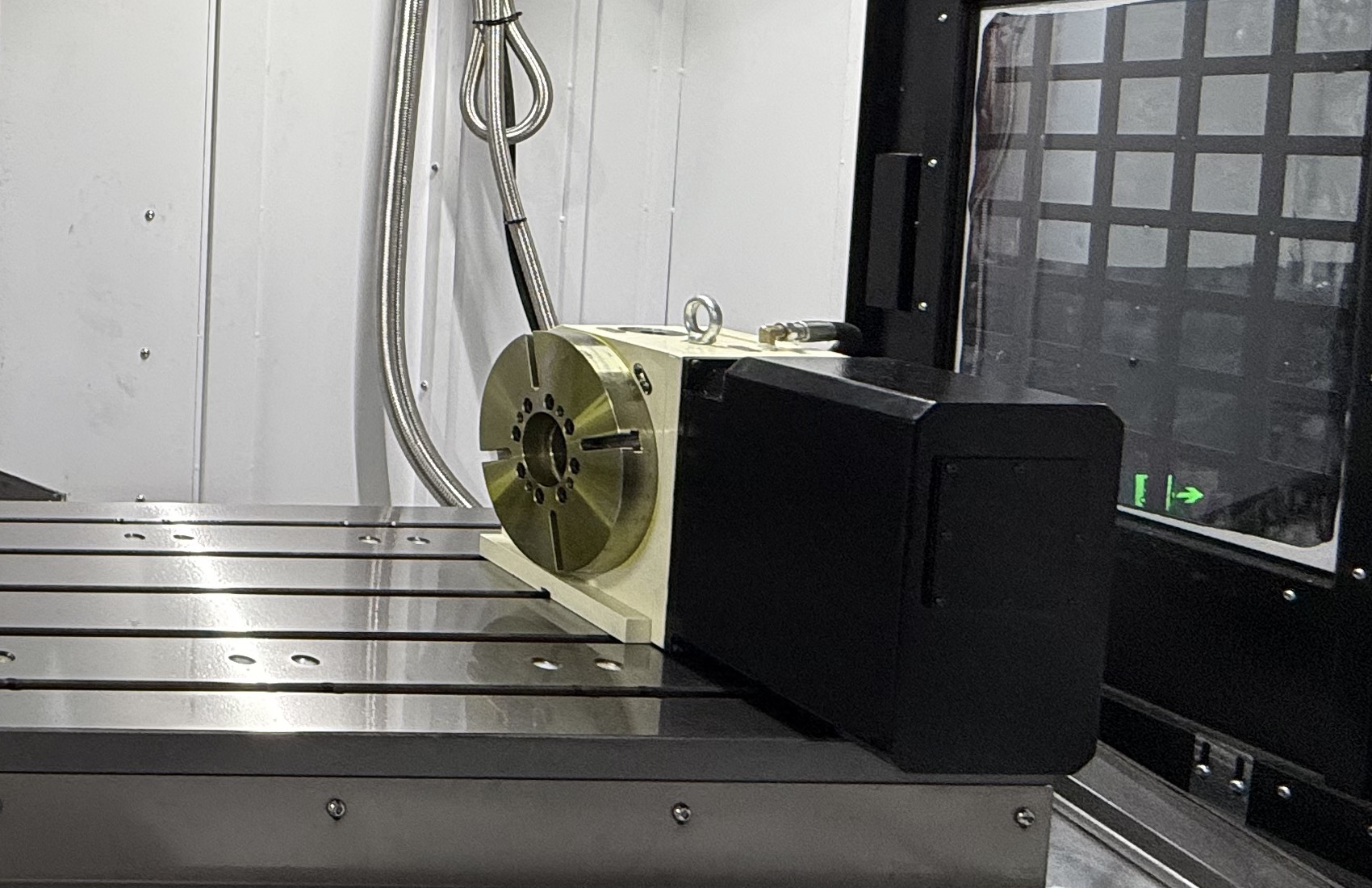
Setups. Every hour spent loading fixtures and indicating parts is paid for at the full machine rate while nothing gets cut. A fourth-axis rotary table that reaches several faces in one clamping can cut those setups down. Our guide to choosing a 4th-axis rotary table for a VMC covers when that’s worth it.
Scrap and broken tools. A part scrapped late in the cycle wastes the material and all the machine hours already spent on it. A tool setter that measures tools automatically and catches a broken one before the next part makes those losses rarer.
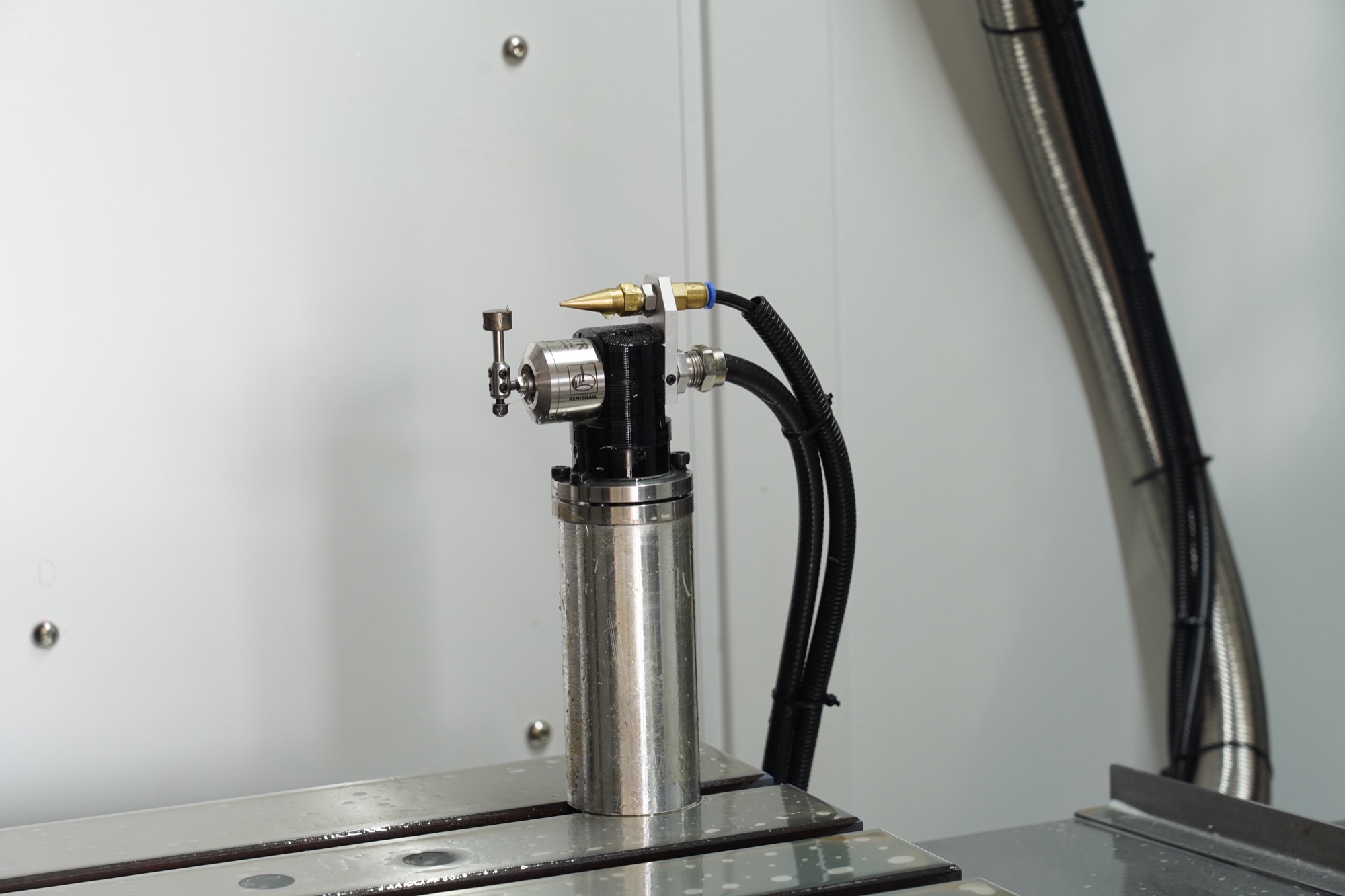
Waiting. A machine that sits for a week waiting for a spare part or a service visit still costs you its depreciation. Ask any supplier how spares and support reach your country before you compare prices.
From machine rate to shop rate
The machine rate isn’t what you charge. To get a shop rate, add your overhead: rent, power, insurance, office staff, everything not billed to a job. A common way is to total a year of overhead, compare it with your sales minus material and subcontract costs, and set the rate so that gap is covered with margin to spare.
One more thing from shops that have been there: the hourly rate is for estimating, not for selling. Customers buy parts, not hours. A shop that runs a job in half the time can charge more per hour and still quote a lower price per part.
When the numbers say add a machine
- Your quoted hours have run ahead of the productive hours you have for several months, not just one busy week
- You’re paying regular overtime to keep up
- Setups and changeovers eat a big share of every shift, and a second machine would let one stay set up
Before you buy, check the cheaper option: a second shift on the machine you already own. As the chart shows, it can halve the machine’s cost per hour without a new purchase. If you can’t staff it, that’s when a new machine starts to make sense.
Where the machine you choose changes the math
The purchase price sits in the formula, but so do the hours. When you spec a new machine, put money where it adds productive hours:
- A fourth-axis rotary table where your parts need several faces machined
- A tool setter and, for unattended running, a probe, both available as options
- A spindle matched to the work: on our BT40 machines, 8,000, 10,000 or 12,000 rpm
- A machine sized to your parts, so you aren’t paying for travel and weight you’ll never use
Our VMC series covers most small to mid-size parts, and the configuration choices above are where most of the hourly savings come from.
Want real numbers for your own part? Upload the drawing and tell us the material and how many parts a year you need. We’ll work out what the job needs, recommend a machine and configuration, estimate the cycle time and send a quote, so you can run this formula with real figures instead of guesses.
FAQ
Should cutting tools go into the machine hourly rate? Shops do it both ways. CNC Cookbook notes that some fold all cutters into the machine’s consumables, while others bill tooling per job because tool wear varies so much from job to job. Pick one and use it consistently.
Is the machine hourly rate what I should charge customers? No. It’s only the machine’s own cost. Your shop rate adds overhead and margin on top, and what customers actually compare is your price per part.
Sources
- CNC Cookbook, CNC Machine Hourly Rate Calculator